HUB 03 · Charging Guides
EV Charger Not Charging: A Step-by-Step Troubleshoot
Plugged in and nothing is happening? Run this checklist before you panic - most no-charge situations are a settings toggle or a loose connection, not a broken charger.
We earn a commission when you buy through our Amazon links, at no extra cost to you. It never affects our rankings, and we say so when the cheaper product is the better buy. How this works.
An EV that will not start charging is alarming, but the cause is usually small - a schedule setting, a charge limit already reached, a not-quite-seated connector, or a tripped breaker. Work this checklist in order before assuming the charger is broken. If it ends at the wiring, that is where a licensed electrician takes over. When the checklist runs out and you want evidence rather than suspicion, how to test an EV charger covers the measurements and substitution tests that isolate whether the circuit, the charger or the car is at fault. And if the connector will not come back out of the port, a plug or adapter stuck in the car is the page for that.
1. Reseat the connector
Unplug and firmly re-insert the connector into the car until it clicks and latches. A partially seated plug is the single most common reason a session will not start. Check the pins and the port for debris or damage while you are there.
2. Check the car's charge settings
The reason is often in the car, not the charger:
- Scheduled charging - the car may be set to start later (off-peak). It is waiting, not failing.
- Charge limit reached - if the battery is already at its set limit (say 80 percent), it will not draw more.
- Location-based charging - some cars only charge at "home" and may not recognize a new spot.
Toggle these in the car's screen or app before touching anything electrical.
3. Confirm the charger has power
Look at the charger's status light. No light at all points upstream: check whether the breaker has tripped and reset it once. If it trips again immediately, stop and treat it as a breaker problem, not a charger problem. For a plug-in unit, confirm the outlet itself is live and not warm or discolored.
4. Read the fault light or app message
A solid or blinking fault light, or an app error code, is the charger telling you what is wrong. Match it to the manual's legend - common ones are ground fault, over-temperature, or a communication error with the car. A ground fault after rain often means moisture in the connector; let it dry. Smart units like the Emporia report the specific fault in the app, which shortcuts the diagnosis.
5. Check the adapter, if you use one
If you charge through a NACS-or-J1772 adapter, make sure it is fully seated on both ends and undamaged. A loose or failing adapter can stop a session even when the charger and car are fine. Reseat it, or test charging without it if your connectors allow.
6. Isolate charger vs car
Still nothing? Try charging the car at a different station (a public one is fine), and try your charger on a different suitable circuit or with a different car if you can. Whichever combination works tells you where the fault is - then contact the charger maker or the dealer under warranty. If the charger is the culprit and the warranty has lapsed, the Level 2 home chargers we rank is where we would start shopping.
When to stop and call an electrician: a breaker that trips the instant you reset it, a warm or scorched outlet, or any burning smell. Those are circuit problems, not settings - stop charging and get it inspected.
Time to replace it?
If the fix does not hold, here is what we would buy
Most of the time the steps above get a charger working again, and you should give them a fair run first. But when the same fault keeps coming back after you have worked through them, or the unit is out of warranty, it is worth doing the math: replacing a home charger is often cheaper than paying for a service call to diagnose it, and the new one arrives with a fresh warranty. We are not saying yours is broken - only that if it is, these are the Level 2 chargers we would replace it with. All three lead our ranked Level 2 roundup, and every price is pulled live from Amazon.
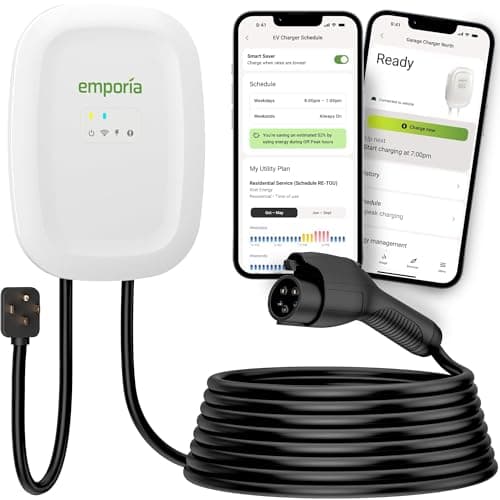
Most homes that want speed and smarts
Emporia Level 2 (48A)
Our top Level 2 pick: 48-amp capable when hardwired, real energy monitoring, priced like a plain plug-in box.
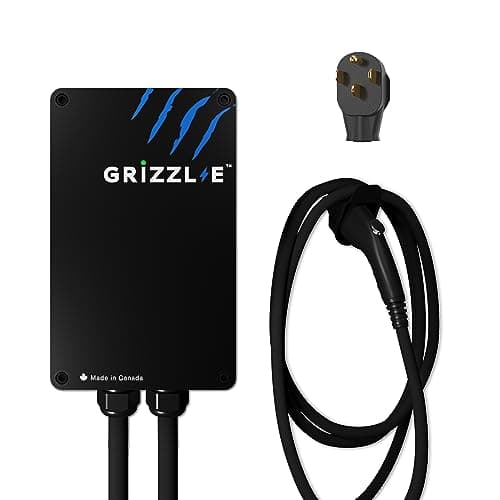
People who want a charger, not an app
Grizzl-E Classic (40A)
The no-app alternative: a UL-certified cast-aluminum box with no Wi-Fi to fail and nothing in the cloud to go dark.
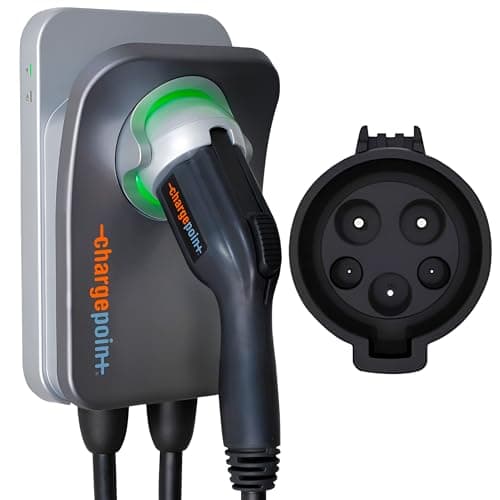
Buyers who want the established brand + one app
ChargePoint Home Flex
The established brand: adjustable up to 50 amps, and one app covers home and public charging.
Full review: Emporia Level 2 →See every Level 2 charger we rank →
#ad · we may earn a commission · As an Amazon Associate we earn from qualifying purchases.
Questions
Frequently asked
My EV is plugged in but not charging - what do I check first?
Reseat the connector until it clicks, then check the car's charge settings - a scheduled start, a reached charge limit, or location-based charging is the most common reason. Then confirm the charger has power and read any fault light.
Why is my EV charger showing a fault light?
A fault light signals a specific problem - often a ground fault (sometimes just moisture in the connector after rain), over-temperature, or a communication error with the car. Match it to the manual's legend; a smart charger will name the fault in its app.
How do I know if the charger or the car is at fault?
Isolate it: charge the car at another station, and try your charger with another car or circuit. Whichever pairing charges tells you which device is fine and which needs warranty service.
Keep reading
Related
- EV Charging Keeps StoppingWhen it starts then quits partway - the checklist.
- Charger tripping the breakerIf the issue is a tripped or tripping breaker.
- Charging slow at homeWhen it charges, just slowly.
- Connector types explainedIf an adapter is in the path.
- Humming or buzzing?Which charger noises are normal and which mean stop.
- Fault codes and warning lightsRead the status LED to see what the charger is reporting.
- How to reset an EV chargerThe power-cycle that clears many stuck states.
More in this section
More Charging Guides
Receipts
Sources
We do not run a testing lab, and we do not pretend to. Where a measured number came from someone else's lab, we name them and link them. Where we could not verify something, we say so on the page rather than quietly leaving it out. Read our full method.