HUB 03 · Charging Guides
EV Charger Wi-Fi Not Connecting? How to Fix It
A smart charger that will not join your network almost always has a signal or a band problem, not a fault - and it charges the car either way.
We earn a commission when you buy through our Amazon links, at no extra cost to you. It never affects our rankings, and we say so when the cheaper product is the better buy. How this works.
A smart charger joins your home Wi-Fi so you can schedule off-peak sessions, watch energy use, and start or stop a charge from your phone. When that connection refuses to complete during setup, or drops out later, it feels like the charger is broken. It almost never is. The overwhelming majority of "won't connect" problems come down to two ordinary things - the wrong Wi-Fi band, or a weak signal in the garage - and both are fixable in a few minutes once you know what to look for.
First, the reassurance that matters most
The charging itself does not depend on the cloud. Even with Wi-Fi completely disconnected, plug the connector into the car and a properly installed charger delivers a full charge. Wi-Fi only drives the extras: scheduling, remote start and stop, energy monitoring, and firmware updates. If your car needs charging tonight and the app is sulking, plug in anyway - the electrons do not travel over your router. We spell out exactly what you gain and lose without a connection in do I need Wi-Fi for an EV charger. Keep that in the back of your mind while you troubleshoot, because it takes the panic out of the whole exercise.
The number-one cause: 2.4 GHz versus 5 GHz
Nearly every home EV charger connects on the 2.4 GHz Wi-Fi band only - not the faster 5 GHz band. That is a deliberate choice, and a sensible one: 2.4 GHz reaches farther and passes through walls and a metal garage door far better than 5 GHz, which is exactly what a device bolted to a wall at the edge of the house needs. The problem is that most modern routers broadcast both bands, often under a single combined network name with a feature called band steering that decides which band each device uses.
If your phone happens to be sitting on the 5 GHz side of that combined network while you run the charger's setup, the app can hand the charger a network it simply cannot see. The charger searches for a 2.4 GHz signal, finds nothing that matches, and the pairing stalls. The fix is to make sure the charger is being pointed at a real 2.4 GHz network: many routers let you split the bands into two separate names (for example, adding a "-2G" network), or temporarily turn off the 5 GHz band during setup so only 2.4 GHz is broadcasting. Once the charger is paired, you can turn everything back on - it stays on the band it joined.
If your network name has no separate 2.4 GHz option, look in your router settings for "band steering" or "smart connect" and disable it just long enough to finish setup. This one change resolves a large share of charger pairing failures on its own.
The second cause: the garage is a Wi-Fi dead zone
Chargers live in the one part of the house Wi-Fi was never designed to reach - the far corner of the garage, behind concrete or brick, often on an outside wall. Even a charger that connected fine standing next to the router during a bench test can fail once it is mounted twenty feet and two walls away. If the band is correct and it still will not join, assume the signal is too weak at the mounting spot and treat it as a coverage problem, not a charger fault.
The cleanest fix is to improve coverage: move the router closer if you can, add a mesh node or a Wi-Fi extender near the garage, or run the setup using the charger's Bluetooth pairing step if it has one. Bluetooth setup lets your phone talk to the charger directly, up close, and then hand over the Wi-Fi credentials - which sidesteps a weak signal during the fiddly first connection. A charger with both Wi-Fi and Bluetooth, like the Emporia Level 2, makes this noticeably less painful than a Wi-Fi-only unit.
A systematic checklist
Work through these in order and stop when it connects. Most people are back online within the first three.
| Symptom | Likely cause | Fix |
|---|---|---|
| Charger never finds the network | Phone or app on 5 GHz | Split bands or use a 2.4 GHz-only network for setup |
| Finds the network, rejects the password | Typo or wrong network | Re-enter carefully - passwords are case-sensitive |
| Connects, then a browser login is expected | Guest or captive-portal network | Use your main network, not a guest SSID |
| Pairs near the router, fails at the wall | Weak garage signal | Add a mesh node or extender; use Bluetooth setup |
| Was working, now offline | Router reboot or firmware | Reboot router then charger; update firmware |
A few specifics behind that table. Reboot the router first, wait for it to come fully back, then power-cycle the charger at the breaker only if the charger has been fully de-energized safely - if you are unsure, leave the breaker alone and simply retry from the app. Avoid guest networks and any hotel-style network that pops up a web page to log in, because a charger has no browser to complete that step. And check the manufacturer app for a firmware update once you are connected, since an out-of-date unit can drop off repeatedly until it is patched.
When Wi-Fi drops but charging keeps working
If your charger connects but keeps falling off the network every few days, that is a signal-strength story, not a hardware defect - the same weak-garage problem, just showing up intermittently. The charger will keep charging on schedule if the schedule was already set, but you will lose live monitoring and remote control until it reconnects. A mesh node in the garage is the durable answer. If you rarely open the app anyway, it may not be worth chasing at all; think about how much the smart features actually matter to you before you invest in coverage. Our best smart chargers roundup is honest about which features earn their keep.
If none of this works
A charger that pairs cleanly but the app then reports it as offline, or a unit that behaves oddly in ways that go beyond connectivity - a session that will not start, a fault light - is a different problem. Start with EV charger not charging, which walks the charging faults rather than the network ones. Genuine radio failures inside a charger are rare, but if you have exhausted the band, the signal, the password, and a firmware update, that is the point to contact the manufacturer's support rather than keep guessing. If the unit is out of warranty and the app was the reason you bought it, the app-first picks in our ranked Level 2 chargers are worth a look before you pay for a repair.
Time to replace it?
If the fix does not hold, here is what we would buy
Most of the time the steps above get a charger working again, and you should give them a fair run first. But when the same fault keeps coming back after you have worked through them, or the unit is out of warranty, it is worth doing the math: replacing a home charger is often cheaper than paying for a service call to diagnose it, and the new one arrives with a fresh warranty. We are not saying yours is broken - only that if it is, these are the Level 2 chargers we would replace it with. All three lead our ranked Level 2 roundup, and every price is pulled live from Amazon.
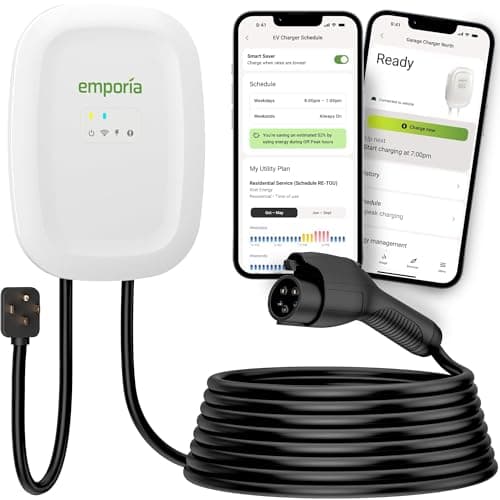
Most homes that want speed and smarts
Emporia Level 2 (48A)
The strongest app story in our comparisons at its price: scheduling, energy tracking and firmware updates that work without a subscription.
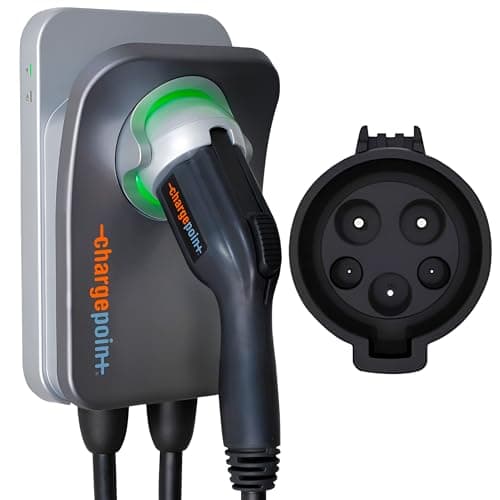
Buyers who want the established brand + one app
ChargePoint Home Flex
The most established app in the category - the same one that runs the largest public network in North America.
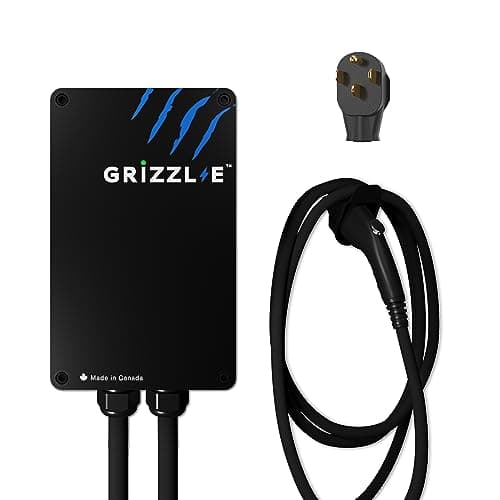
People who want a charger, not an app
Grizzl-E Classic (40A)
Or skip the app entirely: a sealed, UL-certified box that charges the moment you plug in and has no Wi-Fi to lose.
Full review: Emporia Level 2 →See every Level 2 charger we rank →
#ad · we may earn a commission · As an Amazon Associate we earn from qualifying purchases.
Questions
Frequently asked
Does my EV charger need Wi-Fi to actually charge the car?
No. Charging happens between the charger and the car over the cable - it does not route through your Wi-Fi or the internet. If the network is down, plug in and the car still charges. Wi-Fi only powers scheduling, monitoring, remote control, and firmware updates.
Why won't my charger connect to my Wi-Fi?
The most common reason is the band. Almost all home chargers use 2.4 GHz Wi-Fi, not 5 GHz, and many routers combine both under one network name. If your phone is on the 5 GHz side during setup, the charger cannot join. Split the bands or use a 2.4 GHz-only network for setup.
My garage has weak Wi-Fi - what can I do?
Add a mesh node or a Wi-Fi extender near the garage, move the router closer if practical, or use the charger's Bluetooth setup step (if it has one) to pair up close before handing over the Wi-Fi password. Garages are naturally weak spots because of distance and concrete or brick walls.
My charger keeps dropping off the network. Is it broken?
Usually not. Repeated dropouts are almost always a weak or unstable signal at the mounting spot rather than a hardware fault. Improve garage coverage with a mesh node, and update the charger's firmware. If it drops off even with a strong signal and current firmware, then contact the maker.
Keep reading
Related
- Do I Need Wi-Fi for an EV Charger?What you actually gain and lose when the charger is offline.
- Best Smart EV ChargersWhich app features earn their keep, and which do not.
- EV Charger Not ChargingWhen the problem is the charge itself, not the network.
- Emporia Level 2 ReviewA Wi-Fi-plus-Bluetooth unit that makes setup easier.
More in this section
More Charging Guides
Receipts
Sources
- US DOE / fueleconomy.gov - EV charging basics
- US DOE AFDC - charging at home
- US DOE Energy Saver - Electric Vehicles
We do not run a testing lab, and we do not pretend to. Where a measured number came from someone else's lab, we name them and link them. Where we could not verify something, we say so on the page rather than quietly leaving it out. Read our full method.