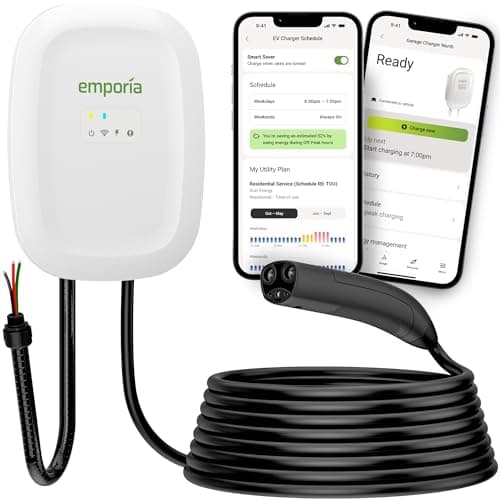
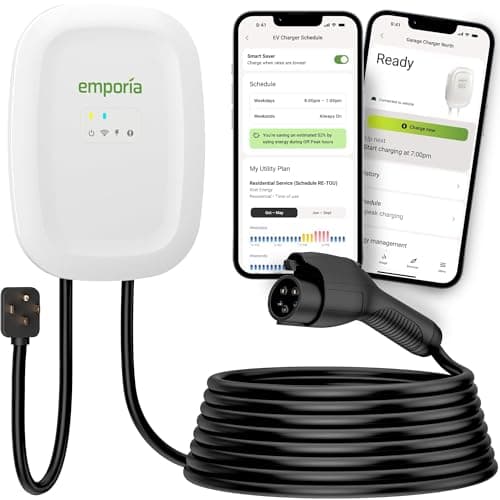
Buy the Emporia Level 2. Energy monitoring is Emporia's actual business - its charger reports per-session kilowatt-hours and cost, and paired with the company's Vue panel monitor it puts your charging next to the rest of the house rather than in a silo. The Emporia NACS does the same behind a Tesla-style plug. The ChargePoint Home Flex is the pick if you want home and public charging in one history, and the Autel MaxiCharger is the best of the rest at a lower price.
This is a narrower question than the smart-charger roundup, which ranks Wi-Fi units on everything they do. Here there is exactly one criterion: how well does the charger measure and report the energy it delivers? That matters for three specific reasons, and if none of them apply to you, you can stop reading and buy a cheaper charger with a clear conscience.
- You want to know what the car actually costs to run. Charging shows up on your bill as one undifferentiated lump. A charger that logs kWh per session turns that into cents per mile - the number that decides whether the EV is really cheaper than the car it replaced. Our cost-to-charge guide does the math once you have the kWh.
- You are on a time-of-use rate and want to verify the schedule worked. A schedule you cannot audit is a schedule you have to trust. Monitoring is what closes the loop on off-peak charging.
- You need a number for someone else. Reimbursement from an employer, a split with a housemate, a utility rebate that asks for charging data, or a landlord who wants the EV metered separately.
What a charger's meter can and cannot tell you
Here is the part most roundups skip. A home charger's internal meter is a good instrument, not a legal one. Metering that is used to sell electricity in the United States falls under NIST Handbook 44 and the National Type Evaluation Program, and home EVSE is not certified to that standard - the requirement applies to equipment processing commercial transactions. What that means in practice:
- Treat the number as accurate enough to act on, not to bill on. It is fine for cost tracking and for confirming a schedule ran. It is not a revenue-grade meter, and a housemate who wants an exact split should not be handed one as though it were.
- The charger measures what it delivered, not what the battery received. Charging losses in the cable, the car's onboard charger and battery conditioning mean the kWh at the wall is meaningfully higher than the kWh in the pack. That gap is real energy you paid for, which is why the charger-side number is the right one for cost - but it will never match the car's own display, and neither of them is broken.
- Your utility bill is the ground truth. If the two disagree badly, believe the meter on the side of the house. If you need a legally separate figure, that is a dedicated EV meter from the utility, not an app.
The picks
The Emporia Level 2wins because Emporia came to EV charging from home energy monitoring rather than the other way round. The charger reports session energy and cost in the app, and the company's Vue panel monitor - a separate product, so this is an upgrade path rather than a bundled claim - puts charging alongside every other circuit in the house, which is the context that makes the number useful. It also drives the excess-solar behavior covered in our solar-compatible chargers roundup. It is also the cheapest charger in this field, which is why it wins most of our rankings.
The Emporia NACS is the identical proposition with a native Tesla-style plug and a documented stack of UL listings. Rank it first instead if your driveway is NACS.
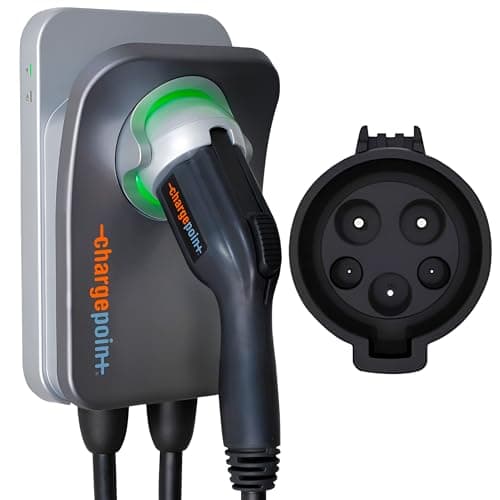
The ChargePoint Home Flexhas the most complete picture of your charging life rather than your house: home sessions and public sessions land in one history, with energy, cost and miles added. You can let the app look up your utility's rate plan or type your own per-kWh price in, which is what turns kWh into dollars. If you charge away from home often, that single history is worth more than a prettier home dashboard.
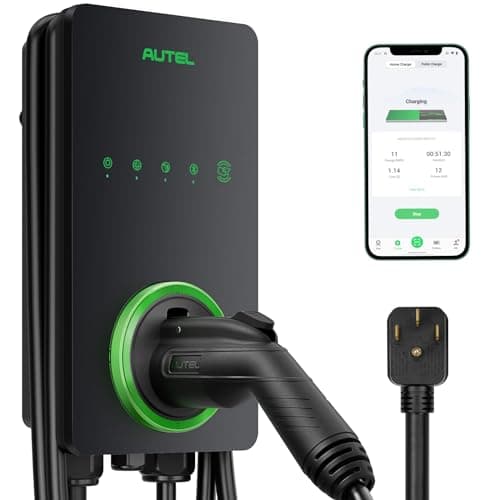
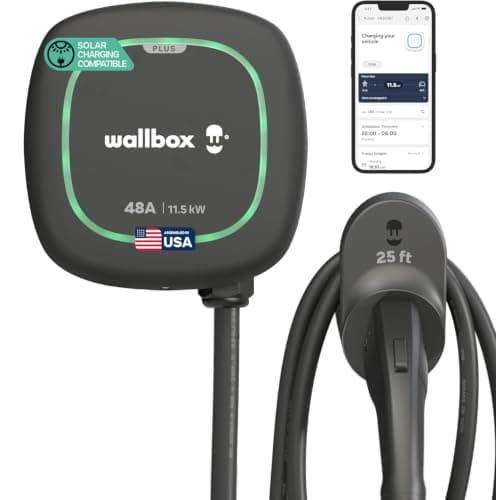
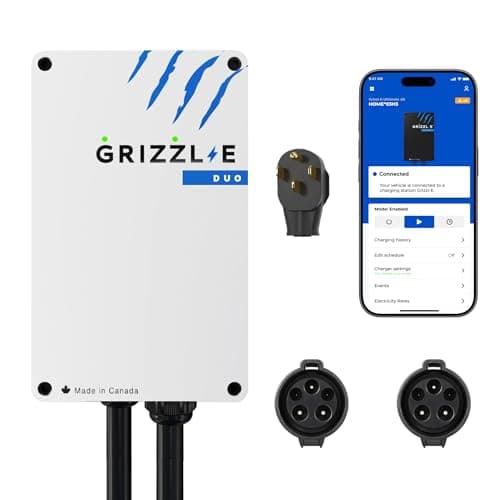
The Autel MaxiCharger does the fundamentals well for less: per-session power, cost, amperage and duration, plus monthly consumption, with your local energy price entered once. Its Bluetooth radio also means the data still syncs when garage Wi-Fi drops, which is a more common failure than anyone admits. The Wallbox Pulsar Plus logs sessions in myWallbox and becomes genuinely powerful with the separately sold Power Meter, which is what unlocks whole-home load management and solar charging - without it the monitoring is charger-only. The Grizzl-E Duo is the two-car answer: Grizzl-E Connect adds real-time monitoring and energy statistics, and with two cables you can see which vehicle used what.
Cheaper alternative worth knowing about. If monitoring is the only smart feature you want, a whole-home energy monitor clamped in your panel measures the charger circuit directly and works with any charger - including a sealed, app-free one like the Grizzl-E Classic. It costs less than the premium for a smart charger and it also meters the dryer, the heat pump and everything else. Buy the smart charger for scheduling and control; buy the panel monitor if you only want the numbers.
How the six compare
| Charger | Amps / kW | Plug type | Cable | What the app reports | Safety listing | Price tier |
|---|
| Emporia Level 2 | 6-48A / up to 11.5 kW | NEMA 14-50 or hardwired | 25 ft | Session kWh + cost; whole-home context with the Vue monitor | UL listed, Energy Star | Value |
| Emporia NACS | Up to 48A / 11.5 kW | Hardwired (NACS) | 24 ft | Same Emporia reporting, native NACS plug | UL listed (2594/2231/2251/817/991), Energy Star | Value |
| ChargePoint Home Flex | 16-50A / up to 12.0 kW | NEMA 14-50 or hardwired | 23 ft | Home + public sessions, energy, cost, miles; utility rate lookup | UL / cUL (UL 2594, UL 2231), Energy Star | Premium |
| Autel MaxiCharger | 40A / 9.6 kW | NEMA 14-50 plug | 25 ft + holster | Per-session kWh, cost, amps, duration; monthly totals | NEMA 4X weather-rated shell; no UL mark named in our spec set | Mid |
| Wallbox Pulsar Plus | 48A / 11.5 kW | Hardwired | 25 ft | Session history; whole-home and solar with the Power Meter add-on | UL listed, Energy Star | Premium |
| Grizzl-E Duo | Up to 40A shared / 9.6 kW | NEMA 14-50 plug, two cables | Two x 25 ft | Real-time monitoring and energy statistics per Grizzl-E Connect | Cast-aluminum enclosure; UL not named on the live listing | Premium |
App capabilities above are the manufacturers' published descriptions of their own software. We read the documentation and the live listings; we do not run a test lab and we did not audit any of these meters against a reference standard.
The buyer's guide
1. Decide whether you need per-session or per-house data
Per-session data answers "what did that charge cost?". Whole-house data answers "how much of my bill is the car?". A charger gives you the first for free; the second needs either a panel monitor (Emporia Vue, Wallbox Power Meter) or a separate utility meter. Most people want the first and think they want the second.
2. Enter your real electricity rate, once
Every app on this page multiplies kWh by a price to show dollars, and every one of them defaults to a number that is not yours. The US residential average is a starting point, not your rate - state averages vary by more than a factor of three, and a time-of-use plan has two or three different prices in a day. Find the per-kWh figure on your bill and type it in. Our cost by state page has the published averages if you want a sanity check.
3. Amps, kW and why the meter reads high
Kilowatts are volts times amps over 1,000 - at 240 volts, 40 amps is 9.6 kW and 48 amps is 11.5 kW. A kilowatt-hour is one kilowatt sustained for an hour, so a 9.6 kW charger running for four hours delivers about 38 kWh at the wall. The battery will show less, because charging is lossy. Both numbers are correct; the wall number is the one you are billed for.
4. NACS or J1772 first, features second
Monitoring quality is the same on both sides of the connector divide - the Emporia J1772 and the Emporia NACS run the same app. Pick the plug your car has, then pick on features. If you are unsure, check the port before ordering anything.
5. Hardwired vs plug-in changes nothing here
Metering works identically either way. The install choice is about speed (a plug caps you at 40 amps / 9.6 kW) and permanence, not data - see hardwired vs plug-in. One genuine caveat: all of this reporting depends on Wi-Fi, so a charger in a steel-sided detached garage with a weak signal will have gaps in its history. That is the argument for the Autel's Bluetooth fallback, and for reading when a charger will not connect to Wi-Fi before you blame the hardware.
6. Load management is monitoring with teeth
The same current sensing that produces a pretty graph can also throttle the charger when the rest of the house is drawing hard, which is how a full-speed unit lives on a panel that could not otherwise carry it. If your service is tight, that is worth more than the dashboard - see chargers with load balancing.
So, which one?
Emporia Level 2 for almost everyone - the best energy data on the site at the lowest price, with a real upgrade path to whole-home monitoring. Emporia NACS if your car has a Tesla-style port. ChargePoint Home Flex if you charge in public often enough to want one combined history and a utility-rate lookup. Autel MaxiCharger for solid per-session tracking with a Bluetooth safety net at a mid price. Wallbox Pulsar Plus if you will add the Power Meter and want load management and solar too. Grizzl-E Duo if two cars share the circuit and you want to see both.