Skip to content
The Charge Curve

HUB 01 · Home EV Chargers

The Best EV Chargers with Load Balancing and Power Sharing

The feature that lets you skip a panel upgrade: a charger that throttles itself to your home's spare capacity, or two units that share one circuit. Ranked on how their load management actually works.

By Stephen V.Updated How we compare
#ad

We earn a commission when you buy through our Amazon links, at no extra cost to you. It never affects our rankings, and we say so when the cheaper product is the better buy. How this works.

The short answer

Quick picks

#ProductBest forScorePrice
01
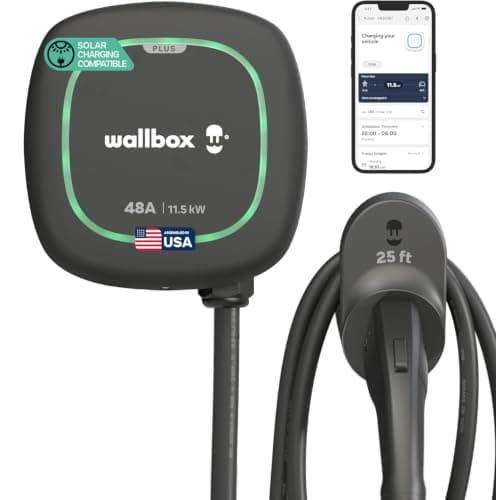
Wallbox Wallbox Pulsar Plus (48A)
Wallbox Pulsar Plus (48A)

One of the smallest 48-amp chargers you can hang on a wall — full-speed hardwired charging in a box that barely announces itself.

A compact, fast, hardwired install
8.4
$614.99Amazon
02
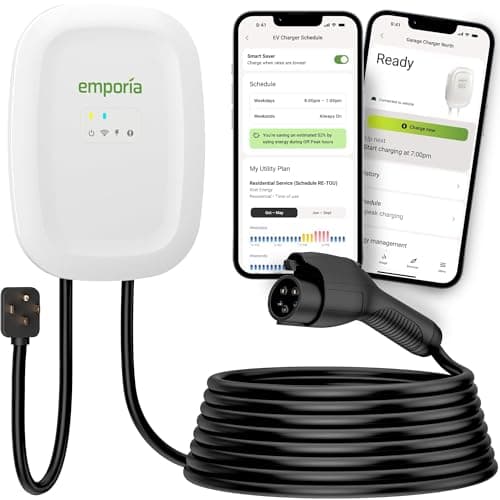
Emporia Emporia Level 2 (48A)
Emporia Level 2 (48A)

The charger that refuses to charge you extra for being smart: full 48-amp speed and real energy monitoring at roughly the price of a plain plug-in box.

Most homes that want speed and smarts
9.0
$449.00Amazon
03
Tesla Tesla Universal Wall Connector
Tesla Universal Wall Connector

The one wall unit with a built-in NACS plug AND a J1772 adapter — the future-proof pick for a driveway that mixes a Tesla and a non-Tesla EV.

Mixed Tesla + non-Tesla households
8.8
Check priceAmazon
04
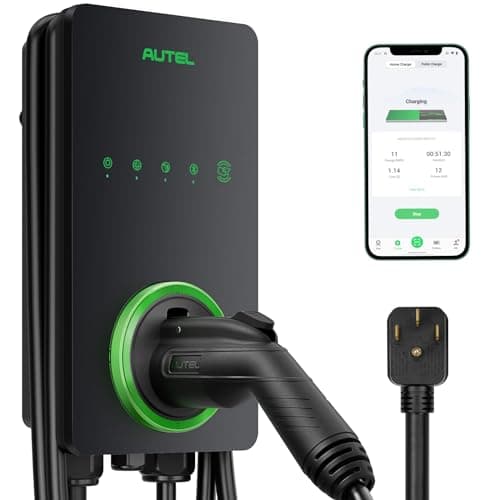
Autel Autel MaxiCharger (40A)
Autel MaxiCharger (40A)

The everything-in-the-box option: Wi-Fi and Bluetooth both, a weather-rated shell, and a holster included so the install is tidy from day one.

Feature-maximalists who want a clean install
8.6
Check priceAmazon
05
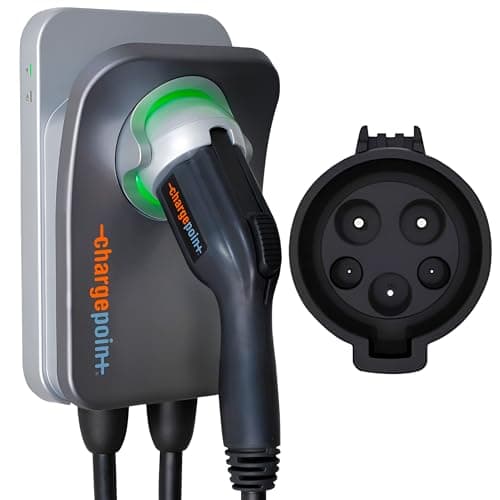
ChargePoint ChargePoint Home Flex
ChargePoint Home Flex

The mature, well-supported pick — amperage you dial in up to 50A, wired into the biggest public-charging app in North America. You pay for the polish.

Buyers who want the established brand + one app
8.2
$539.00Amazon

#ad · Live prices from the Amazon Product API, as of Jul 25, 2026. Where we have no verified live price, we show none — we would rather leave a gap than print a number that has gone stale.

If your panel is tight, the charger to buy is the Wallbox Pulsar Plus. Its Power Boost feature watches your home's draw through a meter and throttles the car so you can run a fast charger without upgrading the service, and its Power Sharing lets several Wallbox units split a single circuit. For the same job at a lower price, the Emporia Level 2 with PowerSmart does whole-home load management with its Vue energy monitor - and the National Electrical Code recognizes it as a legitimate alternative to a panel upgrade.

"Load balancing" is the feature that solves the most common reason a home charger install stalls: not enough spare capacity in the electrical panel. A fast charger is a big, continuous load, and if you cannot free up a 50- or 60-amp circuit, the usual quote is an expensive service or panel upgrade. Load management is the way around that - a charger that gives way to the rest of the house instead of demanding a dedicated slice of capacity it may not have. This page ranks the chargers that do it well, and is careful about which ones do it automatically versus which only let you set a fixed limit by hand. We compile published manufacturer documentation; we do not run a test lab.

The short version

  • Wallbox Pulsar Plus - best load management overall. Power Boost is genuine dynamic load management for a single charger; Power Sharing links multiple Wallbox units on one breaker. The most complete load-management toolkit here.
  • Emporia Level 2 - best value, and the code-recognized pick.PowerSmart uses the Emporia Vue meter to keep total home draw under the panel's rating, slowing the car when the house gets busy and speeding it up when it quiets down - explicitly allowed by the NEC as a panel-upgrade alternative. Full Emporia review.
  • Tesla Universal Wall Connector - best for sharing one circuit across many cars. Group Power Management lets up to six Gen 3 Wall Connectors share a single panel or circuit, and it carries a native NACS plug plus a J1772 adapter. Amazon stock comes and goes - confirm availability before you count on it.
  • Autel MaxiCharger - best app-driven balancing. Local DLB, set up in the Autel Charge app by naming a master charger, balances a group of chargers in about a second. Wi-Fi and Bluetooth, and a holster in the box.
  • ChargePoint Home Flex - the honest caveat. It lets you manuallyset amperage from 16 to 50A to fit your panel, which prevents an upgrade - but the Home Flex does not do automatic, real-time load management (that is ChargePoint's newer Flex Plus). A great charger; just not an automatic-DLM one. Full ChargePoint review.

Two features people conflate: load balancing vs power sharing

They sound alike and solve related problems, but they are different mechanisms, and knowing which one you need saves money:

  • Dynamic load management (load balancing) is about one charger and the whole house. A meter or current sensor watches the total load at your panel; when the oven, dryer and AC are all running, the charger backs off so the service is never overloaded, then it ramps back up when the house quiets down. This is what lets you add a 48-amp charger to a panel that could not otherwise spare the circuit. Wallbox Power Boost and Emporia PowerSmart both do this.
  • Power sharing is about two or more chargers on one circuit. The chargers talk to each other and divide the circuit's current so the breaker is never exceeded - each car gets full speed when it is alone, and they split when both are plugged in. Wallbox Power Sharing, Tesla Group Power Management and Autel's DLB all do this. It is the heart of our best dual-port chargers page.

The practical takeaway:if the problem is "my panel can't spare a big circuit for one charger," you want dynamic load management (Wallbox Power Boost or Emporia PowerSmart). If the problem is "two EVs, one circuit," you want power sharing. Several units here do both - and both usually need a bit of extra hardware, covered next.

What the load-management hardware actually requires

None of this is magic, and the fine print is worth knowing before you buy. Wallbox Power Boost needs a Wallbox power meter installed at the panel to sense total load; Power Sharing needs a Cat 5e data cable run between the units. Emporia PowerSmart relies on the Emporia Vue energy monitor (and its current-transformer clamps) to see the whole-home draw. Tesla's Group Power Management works across Gen 3 Wall Connectors that are all commissioned into one group by an electrician, who sets the maximum current the group may draw. In every case the load-management setting has to be configured correctly for your circuit - it is a code-compliant tool, not a way to ignore your wiring, and the actual breaker sizing is still a job for a licensed electrician.

The picks, in order

Below the summary table each charger gets a full card with its scores, pros and cons, and a "don't buy this if" note. In short: the Wallbox is the most complete load-management unit, the Emporia is the value pick and the one the code explicitly blesses, the Tesla Universal is the multi-car circuit-sharer for a mixed driveway, the Autel is the tidy app-driven option, and the ChargePoint earns its place on brand and app but only with the honest note that its load management is manual, not automatic.

In detail

The picks, in full

01
Wallbox Wallbox Pulsar Plus (48A)

A compact, fast, hardwired install

Wallbox Pulsar Plus (48A)

Hardwired 48A / 11.5kWJ177225ft cableEnergy Star + UL
8.4/10

One of the smallest 48-amp chargers you can hang on a wall — full-speed hardwired charging in a box that barely announces itself.

Charge speed
10
Build & weather
8
Smart features
8
Cable & connector
8
Value
8

Pros

  • Physically tiny for a 48-amp unit — the least obtrusive charger in our home roundup
  • Full 48-amp hardwired speed, matching the fastest home chargers
  • Energy Star and UL certified

Cons

  • Hardwired only at 48A — no plug-in convenience if you might move it
  • The app has historically drawn more owner complaints than the hardware itself

Don't buy this if…

you rent or might take the charger with you. This is a permanent fixture — a plug-in unit or a portable EVSE is the right call for anyone who could move.

$614.99View on Amazon

$699.9912% off

Price as of Jul 25, 2026. Prices change — Amazon's is the one that counts.

#ad · we may earn a commission from this link to Wallbox Pulsar Plus (48A)

02
Emporia Emporia Level 2 (48A)

Most homes that want speed and smarts

Emporia Level 2 (48A)

Up to 48A / 11.5kWJ177225ft cableWi-Fi + app
9.0/10

The charger that refuses to charge you extra for being smart: full 48-amp speed and real energy monitoring at roughly the price of a plain plug-in box.

Charge speed
10
Build & weather
8
Smart features
9
Cable & connector
8
Value
10

Pros

  • 48-amp capable when hardwired — quicker than the 40-amp plug-in default most units top out at
  • Genuine energy tracking and scheduling in the app, priced below almost every other smart charger
  • The 25-foot cable reaches either side of a two-car garage

Cons

  • You only get 48 amps hardwired on a 60-amp circuit; the plug-in version is capped at 40A like everything else
  • The app and Wi-Fi are central to the experience, so first-time setup takes longer than a plug-and-go box

Don't buy this if…

you never intend to open an app. A lot of what you are paying for is the software; if a sealed, silent box is what you actually want, the Grizzl-E Classic is the honest call.

$449.00View on Amazon

Price as of Jul 25, 2026. Prices change — Amazon's is the one that counts.

#ad · we may earn a commission from this link to Emporia Level 2 (48A)

03
Tesla Tesla Universal Wall Connector

Mixed Tesla + non-Tesla households

Tesla Universal Wall Connector

Up to 48ANACS + J177224ft cableDual connector
8.8/10

The one wall unit with a built-in NACS plug AND a J1772 adapter — the future-proof pick for a driveway that mixes a Tesla and a non-Tesla EV.

Charge speed
9
Build & weather
9
Smart features
8
Cable & connector
10
Value
8

Pros

  • Charges both NACS (Tesla) and J1772 cars from one unit — no adapter juggling in a two-car household
  • Deep integration with the Tesla app for Tesla owners
  • Well-built, weather-rated enclosure

Cons

  • Its advantage only pays off if you actually own both connector types
  • Hardwired install, and the ecosystem leans toward Tesla vehicles

Don't buy this if…

every car in your driveway uses a J1772 port. You would be paying for a dual-connector trick you'll never use — a straightforward J1772 charger like the Emporia does the same job for less.

Check price on Amazon →

No buyable offer at the last price check (Jul 25, 2026). We show nothing rather than a stale number.

#ad · we may earn a commission from this link to Tesla Universal Wall Connector

04
Autel Autel MaxiCharger (40A)

Feature-maximalists who want a clean install

Autel MaxiCharger (40A)

40A / 9.6kWJ177225ft cable + holsterWi-Fi + Bluetooth
8.6/10

The everything-in-the-box option: Wi-Fi and Bluetooth both, a weather-rated shell, and a holster included so the install is tidy from day one.

Charge speed
8
Build & weather
9
Smart features
9
Cable & connector
9
Value
8

Pros

  • Ships with a separate holster, so you get proper cable management out of the box instead of buying it later
  • Both Wi-Fi and Bluetooth — app control still works when garage Wi-Fi is weak, which it usually is
  • Weather-rated enclosure for indoor or outdoor mounting

Cons

  • 40-amp ceiling, so it is not the fastest choice if your panel could support a 48A circuit
  • The feature set is more than a set-and-forget overnight charger buyer actually needs

Don't buy this if…

your panel can support a 48-amp circuit and raw speed is the goal. The 48A Emporia or Wallbox adds range faster; the Autel's edge is breadth and the in-box holster, not top speed.

Check price on Amazon →

No buyable offer at the last price check (Jul 25, 2026). We show nothing rather than a stale number.

#ad · we may earn a commission from this link to Autel MaxiCharger (40A)

05
ChargePoint ChargePoint Home Flex

Buyers who want the established brand + one app

ChargePoint Home Flex

Adjustable to 50AJ1772NEMA 14-50 plugEnergy Star
8.2/10

The mature, well-supported pick — amperage you dial in up to 50A, wired into the biggest public-charging app in North America. You pay for the polish.

Charge speed
9
Build & weather
8
Smart features
9
Cable & connector
8
Value
7

Pros

  • Output is adjustable in the app up to 50A, so it matches whatever breaker you can install today and more later
  • Reports into the same ChargePoint app that maps and pays for a huge public network — home and away in one place
  • Long track record and responsive support that newer budget brands cannot match

Cons

  • Costs more than equally capable chargers from newer brands
  • The experience leans hard on the ChargePoint account and app; skip it and you are paying for an integration you will not use

Don't buy this if…

price is your first filter. The Emporia matches most of what this does for meaningfully less — here you are paying for brand maturity and the unified app, which are real but not free.

$539.00View on Amazon

$657.9918% off

Price as of Jul 25, 2026. Prices change — Amazon's is the one that counts.

#ad · we may earn a commission from this link to ChargePoint Home Flex

How to choose a load-managing charger

Four questions settle it.

1. Which problem are you actually solving?

Be honest about the constraint. A panel that cannot spare a circuit for a single fast charger calls for dynamic load management (Wallbox Power Boost, Emporia PowerSmart). Two cars that must share one circuit call for power sharing (Wallbox, Tesla, Autel). Buying the wrong one means paying for a capability you will not use, or still facing the panel upgrade you were trying to avoid.

2. What extra hardware does it need?

Automatic load balancing has to seeyour home's load, so it needs a meter or current sensor: a Wallbox power meter for Power Boost, an Emporia Vue for PowerSmart. Power sharing needs a data link between the chargers - Cat 5e for Wallbox, a commissioned group for Tesla. Factor that into the price and the install, and confirm the accessory is included or budget for it.

3. Is it code-recognized?

This matters for permits. Emporia states that PowerSmart is permitted by the National Electrical Code (NFPA 70, sections 625.42 and 750.30) as an alternative to a service upgrade, which is exactly the language an inspector wants to see. Wallbox's Power Boost serves the same function. Any load-management install still needs a licensed electrician and a permit - the point is that a good system is a legitimate design choice, not a workaround.

4. The rest: speed, app and brand

Once load management is handled, the usual criteria apply. All five here are 40- to 50-amp capable, so none is slow. The Emporia and Autel give you the most useful apps for the money; the ChargePoint ties into the biggest public-charging network; the Wallbox and Tesla units are the most polished hardware. If smart features are your main interest, our best smart chargers roundup goes deeper.

So, which one?

Buy the Wallbox Pulsar Plus for the most complete load management in one unit. Buy the Emporia to do the same job for less with the code-recognized PowerSmart system. Need to share one circuit across several cars - especially a mix of Tesla and non-Tesla? The Tesla Universal. Want app-driven balancing with a holster in the box? The Autel. And if you like the ChargePoint, buy it with eyes open: set its amperage by hand to fit your panel, but do not expect automatic real-time load management from the Home Flex.
How we picked

We do not run a testing lab

We compiled published specifications from manufacturer manuals and spec sheets, verified the safety listings (UL / ETL), computed the real running and installation costs, checked the wiring math against the NEC continuous-load rule, and read aggregated owner reviews — then scored each product against a published rubric. The scores are judgments from documented research — they are not bench measurements, because we do not have a test lab and we are not going to pretend we do. Every spec and cost figure is cited in Sources.

Questions

Frequently asked

Can load management replace an electrical panel upgrade?

Often, yes. Dynamic load management lets a charger use only the capacity your home is not already using, so you can add a fast charger without a bigger service. Emporia states that its PowerSmart system is recognized by the National Electrical Code (NFPA 70, 625.42 and 750.30) as an alternative to a panel upgrade, and Wallbox's Power Boost does the same job. A licensed electrician still has to size and sign off the install.

Can two EV chargers share one circuit?

Yes - that is power sharing. Wallbox's Power Sharing can link multiple units on a single breaker, and Tesla's Group Power Management lets up to six Gen 3 Wall Connectors share one panel or circuit. The chargers coordinate so the breaker is never exceeded: each car charges at full speed alone and they split when both are plugged in. See our best dual-port chargers page for the two-car setup in full.

Does the ChargePoint Home Flex do automatic load balancing?

Not automatically. The Home Flex lets you set a fixed amperage from 16 to 50A in the app to fit the circuit you have, which does let you avoid a panel upgrade - but it does not automatically reduce the charge in real time when other appliances run. ChargePoint reserves that real-time dynamic load management for its newer Flex Plus model. For automatic whole-home balancing at this price, the Emporia is the better buy.

Do I still need an electrician for a load-managed charger?

Yes. Load management changes how much current the charger draws, but the circuit, breaker and any meter or data cabling still have to be installed to code by a licensed electrician, and usually permitted. Think of load management as a legitimate design tool that can shrink or skip a panel upgrade - not as a way to run a charger on wiring that is not rated for it. Our installation guide covers what the job involves.

Keep reading

Receipts

Sources

We do not run a testing lab, and we do not pretend to. Where a measured number came from someone else's lab, we name them and link them. Where we could not verify something, we say so on the page rather than quietly leaving it out. Read our full method.