HUB 03 · Charging Guides
How to Reset an EV Charger
A clean power-cycle fixes a surprising share of charger glitches. Here is how to do it safely for plug-in and hardwired units - and the one repeating fault where resetting is exactly the wrong move.
We earn a commission when you buy through our Amazon links, at no extra cost to you. It never affects our rankings, and we say so when the cheaper product is the better buy. How this works.
Resetting a charger is the EV equivalent of turning it off and on again, and it works for the same reason it works on a phone or a router: a clean power-cycle clears a stuck internal state and lets the unit start fresh. A surprising number of charging glitches - a session that will not begin, a communication error with the car, a smart unit that will not finish its Wi-Fi setup - clear with nothing more than this. This guide covers how to reset safely for both plug-in and hardwired units, what the different levels of reset do, and the single situation where resetting is precisely the wrong thing to do.
Always start by unplugging the car
Before you touch the charger itself, end the session and unplug the connector from the car. This stops current flow cleanly, lets the charger and vehicle drop their handshake, and means you are power-cycling a unit that is no longer under load. It is the simplest and safest first move, and occasionally it is the whole fix on its own - reconnecting the car after a clean disconnect re-runs the handshake and clears a stuck communication state without any further steps.
Resetting a plug-in charger
If your charger plugs into a NEMA 14-50 outlet, the easiest reset is to unplug it from the receptacle, wait about thirty seconds for its internal electronics to fully de-energize, and plug it back in. The thirty-second pause matters - it gives the capacitors time to discharge so the unit genuinely restarts rather than blinking. If the unit is awkward to unplug, or you would rather not stress the receptacle by pulling the heavy plug, you can instead switch the charger's dedicated breaker off, wait the same thirty seconds, and switch it back on. Either route achieves the same clean power-cycle.
Resetting a hardwired charger
A hardwired charger has no plug to pull, so the reset is done at the panel: find the dedicated breaker for the charger, switch it fully off, wait about thirty seconds, and switch it back on. Because the charger is on its own dedicated circuit, this affects nothing else in the house. If you are unsure which breaker is the charger's, that is worth confirming calmly before you start flipping breakers - and if the breaker itself feels warm or will not reset, you have moved from a simple glitch to a possible fault worth reading about in an EV charger tripping the breaker.
Reset buttons, app resets, and factory resets
Many chargers add software-level resets on top of the power-cycle, and it helps to know which does what.
| Reset type | What it does | Use it when |
|---|---|---|
| Power-cycle (plug or breaker) | Restarts the unit; clears a stuck state | Frozen unit, comms error, general glitch |
| Reset button | A soft restart without cutting power | The manual points to it for a specific fault |
| App reset / restart | Restarts the unit remotely from the app | You are away from the unit but near your phone |
| Factory reset | Wipes settings, Wi-Fi, and pairing to as-new | Re-doing Wi-Fi setup, or handing the unit on |
The factory reset is the one to use deliberately. It clears the unit's stored Wi-Fi credentials and app pairing and returns it to its out-of-box state, which is exactly what you want when a smart charger will not finish joining your network or you are selling the house - but it also means re-doing the whole app setup afterward. If your problem is purely that the unit will not get online, a factory reset is often the reset that finally lets pairing start clean; the full network walkthrough is in EV charger Wi-Fi not connecting. A well-documented smart unit like the Emporia Level 2 spells out its reset button and factory-reset steps in the manual, so you are not guessing which one to use.
When a reset is the right tool
Reach for a reset when the symptom looks like a software hiccup rather than a physical fault: a unit frozen on one status, a communication error where the car and charger will not shake hands, or a smart charger stuck partway through Wi-Fi pairing. In all of these the hardware is fine and the electronics have simply gotten confused, which is exactly what a clean restart is for. It is also a good early step in a broader won't-charge diagnosis - the reset in EV charger not charging and the light-reading in fault codes and warning lights both lean on a power-cycle before anything more involved.
Do not keep resetting a charger that repeatedly trips its ground fault (GFCI). A ground-fault trip that comes back again and again is not a glitch - it is the safety system catching a real electrical problem, and power-cycling past it defeats the protection. Stop, and have a licensed electrician inspect the circuit, connector, and wiring. Resetting is for confused electronics, never for a fault that keeps returning.
When resetting is not enough
A reset that fixes the problem for an hour and then it returns, or a unit that faults again the moment you plug back in, is telling you the cause is real rather than transient. That is the point to stop cycling power and start diagnosing - the fault light, the connector, the outlet, or the circuit. The repeating faults especially, like a returning ground trip or a breaker that trips under load, are covered in GFCI breakers and EV chargers. A hot plug is another symptom no reset can cure - it is a physical connection problem, not a confused state, and it is covered in why an EV charger plug gets hot. Used for the right thing, a reset is the fastest fix you have. Used to paper over a returning fault, it just delays the real repair - or, on an out-of-warranty unit, the replacement: our ranked Level 2 chargers is where we would start.
Time to replace it?
If the fix does not hold, here is what we would buy
Most of the time the steps above get a charger working again, and you should give them a fair run first. But when the same fault keeps coming back after you have worked through them, or the unit is out of warranty, it is worth doing the math: replacing a home charger is often cheaper than paying for a service call to diagnose it, and the new one arrives with a fresh warranty. We are not saying yours is broken - only that if it is, these are the Level 2 chargers we would replace it with. All three lead our ranked Level 2 roundup, and every price is pulled live from Amazon.
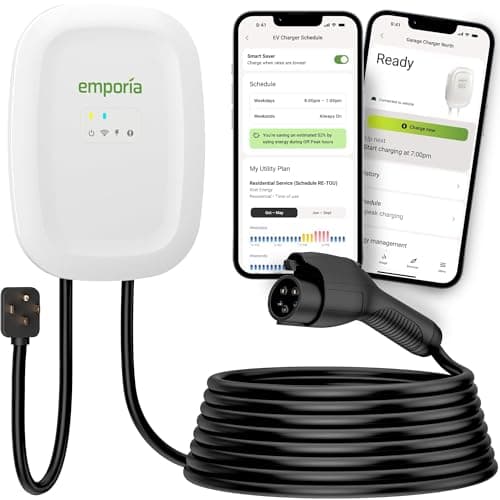
Most homes that want speed and smarts
Emporia Level 2 (48A)
Our top Level 2 pick: 48-amp capable when hardwired, real energy monitoring, priced like a plain plug-in box.
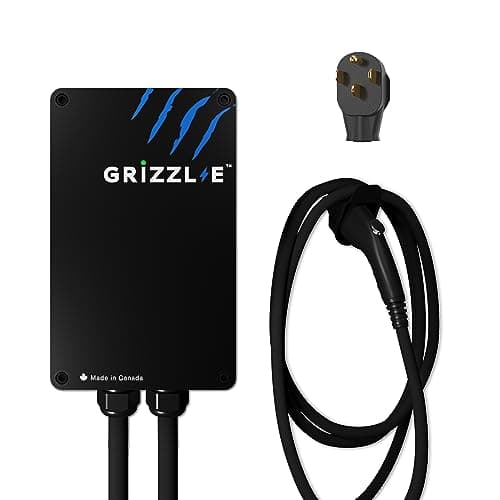
People who want a charger, not an app
Grizzl-E Classic (40A)
The no-app alternative: a UL-certified cast-aluminum box with no Wi-Fi to fail and nothing in the cloud to go dark.
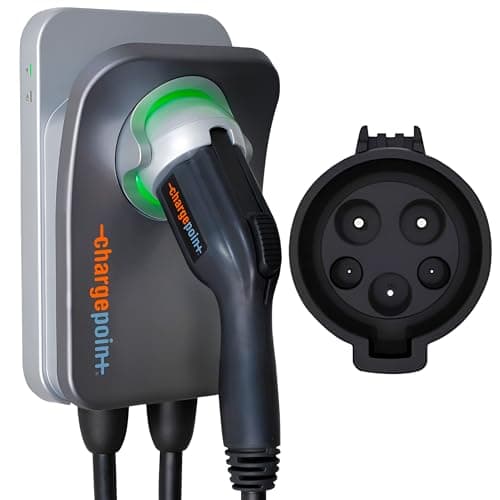
Buyers who want the established brand + one app
ChargePoint Home Flex
The established brand: adjustable up to 50 amps, and one app covers home and public charging.
Full review: Emporia Level 2 →See every Level 2 charger we rank →
#ad · we may earn a commission · As an Amazon Associate we earn from qualifying purchases.
Questions
Frequently asked
How do I reset my EV charger?
Unplug the car first. For a plug-in unit, unplug it from the outlet (or switch its breaker off), wait about thirty seconds, and restore power. For a hardwired unit, switch the charger's dedicated breaker off, wait thirty seconds, and switch it back on. Some units also have a reset button or an app restart.
What is the difference between a reset and a factory reset?
A normal reset is a power-cycle that restarts the unit and clears a stuck state, keeping your settings. A factory reset wipes everything - stored Wi-Fi credentials, app pairing, and settings - back to out-of-box condition. Use a factory reset to re-do Wi-Fi setup or before selling the unit, and expect to set it up again afterward.
When should I reset my charger?
When the symptom looks like a software glitch: a frozen unit, a communication error with the car, or a smart charger stuck during Wi-Fi pairing. A clean power-cycle clears these. It is also a sensible early step when a charge will not start at all, before you dig into the connector or circuit.
My charger keeps tripping - should I just keep resetting it?
No. A charger that repeatedly trips its ground fault or breaker is reporting a real electrical problem, and resetting past it defeats the safety protection. Stop cycling power and have a licensed electrician inspect the circuit, connector, and wiring. Reset confused electronics, not a fault that keeps coming back.
Keep reading
Related
- EV Charger Not ChargingThe wider diagnosis a reset is one early step of.
- EV Charger Fault Codes and Warning LightsReading the light before and after a power-cycle.
- EV Charger Wi-Fi Not ConnectingWhen a factory reset is what finally lets pairing start clean.
- GFCI Breakers and EV ChargersWhy a repeating ground trip must not be reset away.
- EV Charger Tripping the BreakerWhen a breaker will not reset, or trips again under load.
More in this section
More Charging Guides
Receipts
Sources
- EC&M - NEC requirements for EV equipment (Article 625: continuous load, GFCI, terminations)
- US DOE / fueleconomy.gov - EV charging basics
- US DOE AFDC - charging at home
We do not run a testing lab, and we do not pretend to. Where a measured number came from someone else's lab, we name them and link them. Where we could not verify something, we say so on the page rather than quietly leaving it out. Read our full method.